Plan and schedules
Drop in a P6 file. You see your P6 dates, exactly, plus what P6 can't tell you.
Projects and schedules
Load the file your planners already send. Primer shows it exactly as P6 saved it, checks it and turns it into reports people read.
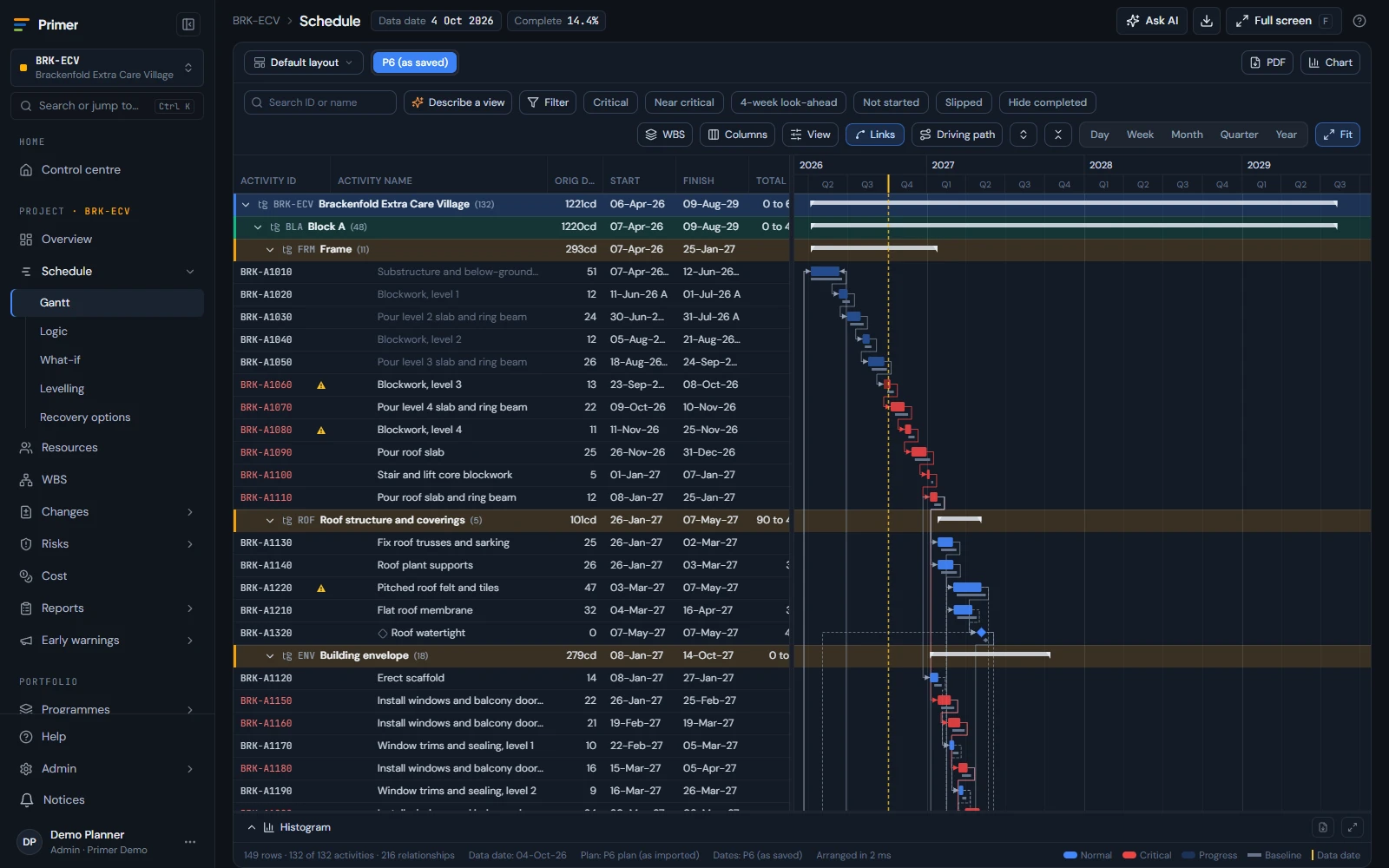
What you get
Short version first. Book a demo for the long one.
Bring it in
4 things-
P6 and Microsoft Project files
XER, P6 XML and Microsoft Project, with calendars, codes, resources and baselines.
-
Asta and more
Asta Powerproject and other planning files.
-
Straight from P6 EPPM
Pull projects on a schedule. No file exports.
-
P6 databases
Oracle, SQL Server and P6 Professional SQLite.
Your P6 dates, exactly
3 things-
P6's own dates Coming soon
Every report, Gantt and export shows the dates P6 saved.
-
Reports that match P6 Coming soon
Because they are P6's numbers.
-
Big programmes, at full size
Linked projects and 30,000+ activities in one view.
Work the plan
7 things-
A Gantt that keeps up
Built for 30,000+ activities, with P6 layouts, grouping and filters.
-
Baselines and what changed
Compare two updates and see why the finish moved.
-
Simulate the change
See what moves against the plan before anyone commits.
-
Recovery and levelling
Ways to recover a late finish, and levelled resources, shown against the plan.
-
Apply or reset Coming soon
Apply a scenario, or go back to P6's dates at any time.
-
Send it back to P6 Coming soon
An updated XER of the original project, with a change log, to import into P6.
-
WBS and roadmap
The work breakdown, and every project on one roadmap.
Reports people read
5 things-
The planning reports
Critical path, look-ahead, milestones, float and slippage.
-
DCMA 14-point checks
Each check explained, with the activities behind it.
-
Progress S-curves
Planned against actual, by WBS, code, resource or role.
-
Earned value and resources
Straight from the schedule.
-
Chart packs to PDF
Pick your charts once. The same pack every period.
Coming soon On its way. Book a demo to see it early.
Up close
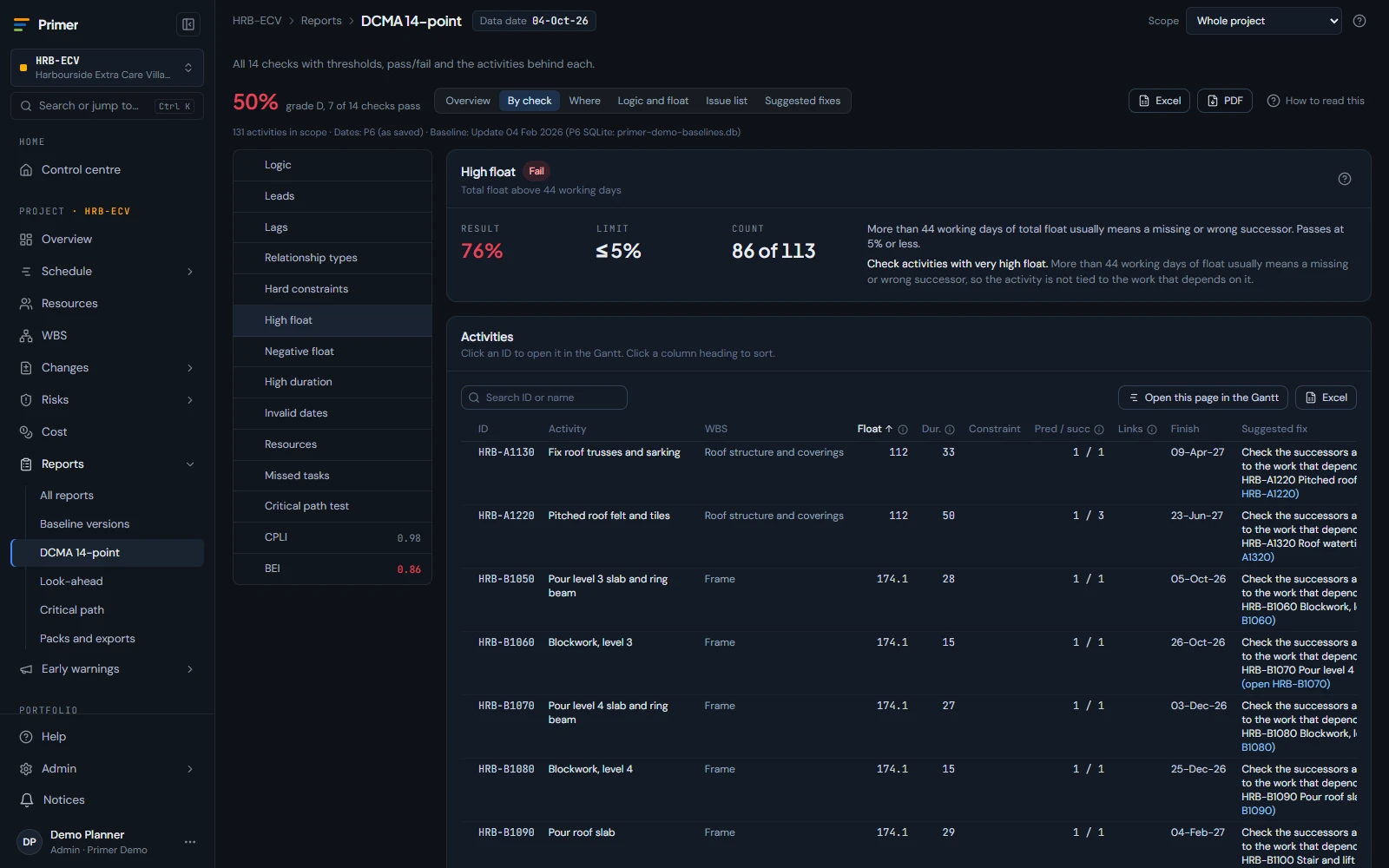
DCMA 14-point schedule quality dashboard
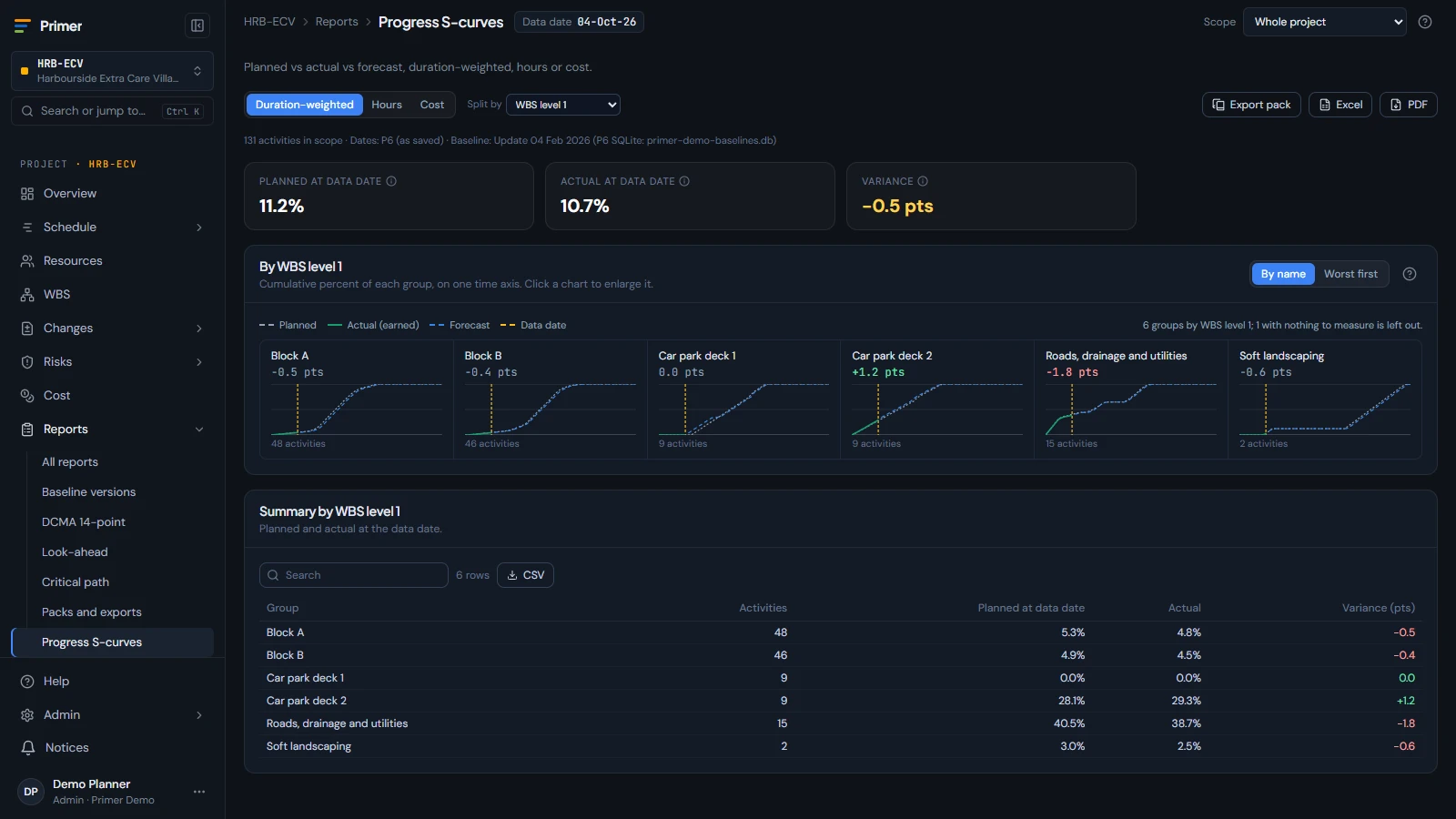
Progress S-curve of planned against actual, split by WBS
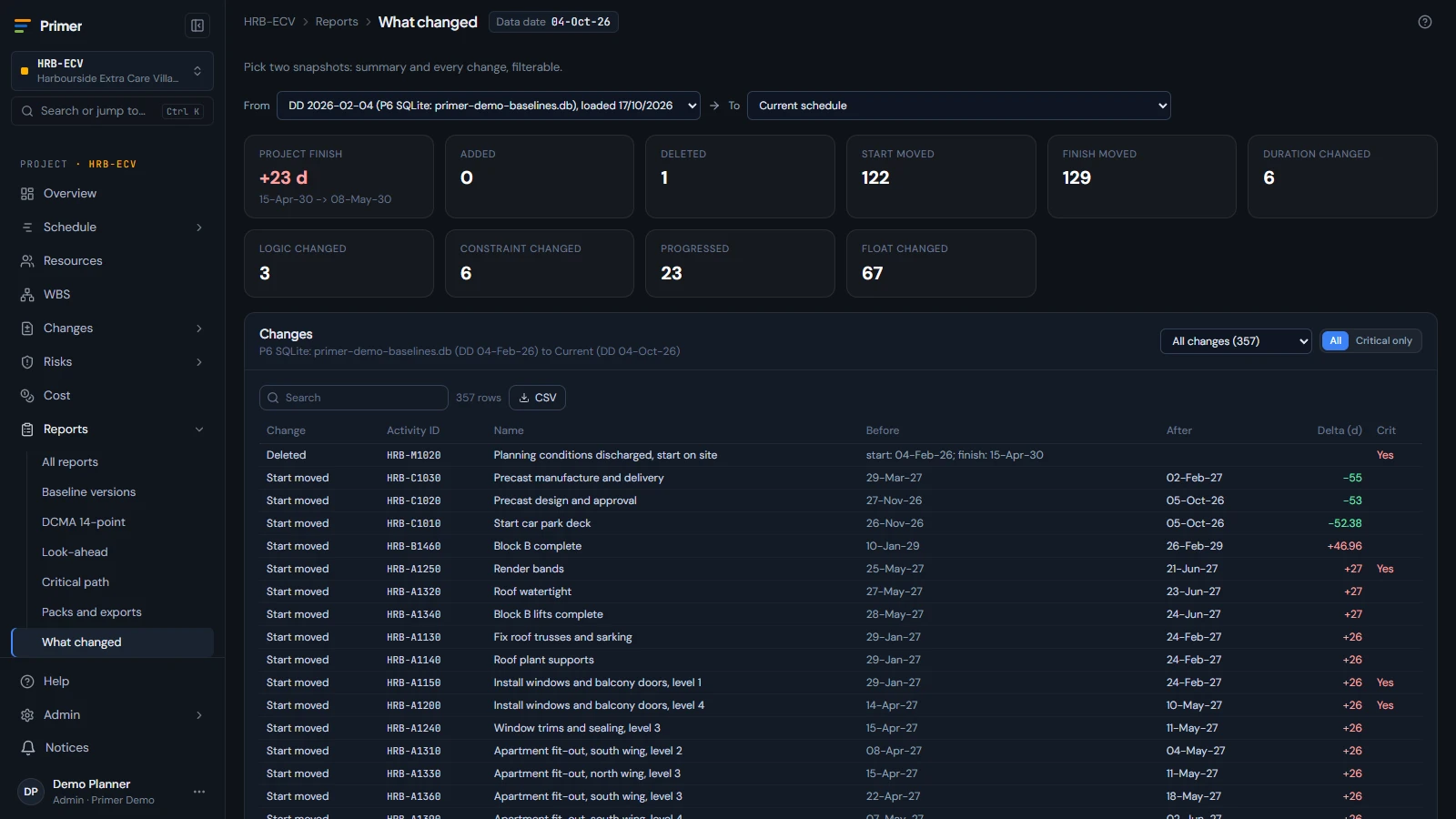
Comparison of two schedule updates showing what changed and why the finish moved
One model
Every part of Primer uses the same links, from one activity to the whole portfolio. Nothing typed twice.
Ready when you are
No sign-up. Open a private copy of Primer in your browser. Or take 30 days free for 5 people.