How it fits together
Every report shows the dates P6 saved. Everything else hangs off the same links.
P6 stays the plan
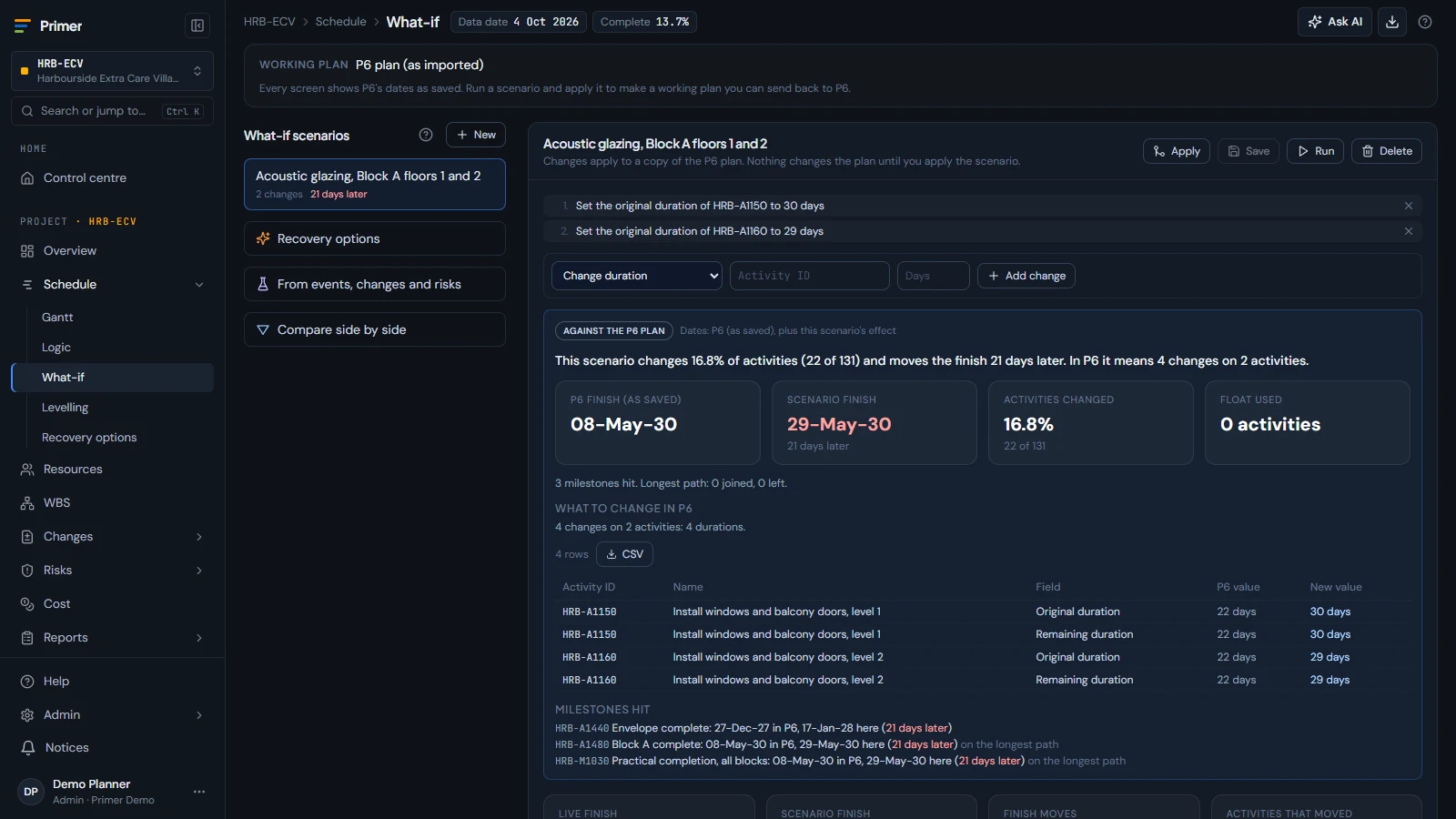
Primer never changes your plan behind your back. Ask a question and it simulates the change, then shows what moves against the plan.
P6 stays the plan
Every report shows the dates P6 saved. Ask a question and Primer simulates the change and shows what moves against the plan.
Coming soon On its way. Book a demo to see it early.
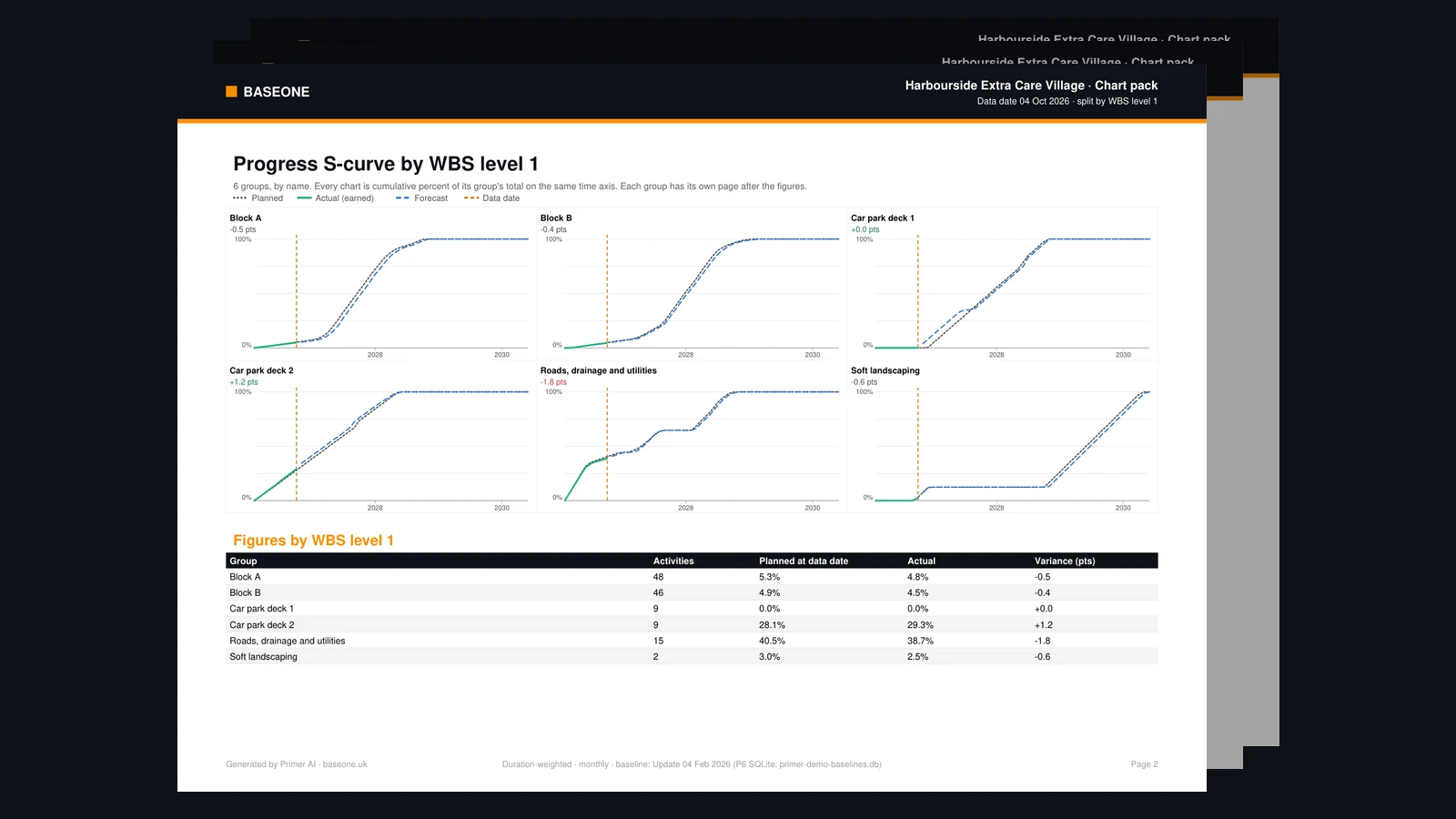
One model
Control accounts map to activities. Risks link to the work. Changes flow to the cost, the contract and the next baseline.
Two ways to buy
Primer Cloud
The web workspace
Schedules, cost, risk, NEC4 and governance in your browser. Priced per seat. Hosted by us, or in your own Azure tenant
Editions and pricesPrimer for Fabric
P6 analytics in your Fabric
A ready-built P6 data warehouse and Power BI reports, installed in your own tenant, with a perpetual licence. Available today.
See Primer for FabricTry before you commit
See what moves against the plan, such as how many days the finish moves and how many activities change, before anyone agrees to it. Applying it, resetting to P6 and sending it back to P6 as an updated XER are coming soon.
Four colours, four powers
Each bar of the logo stands for one part of project controls.
Built in
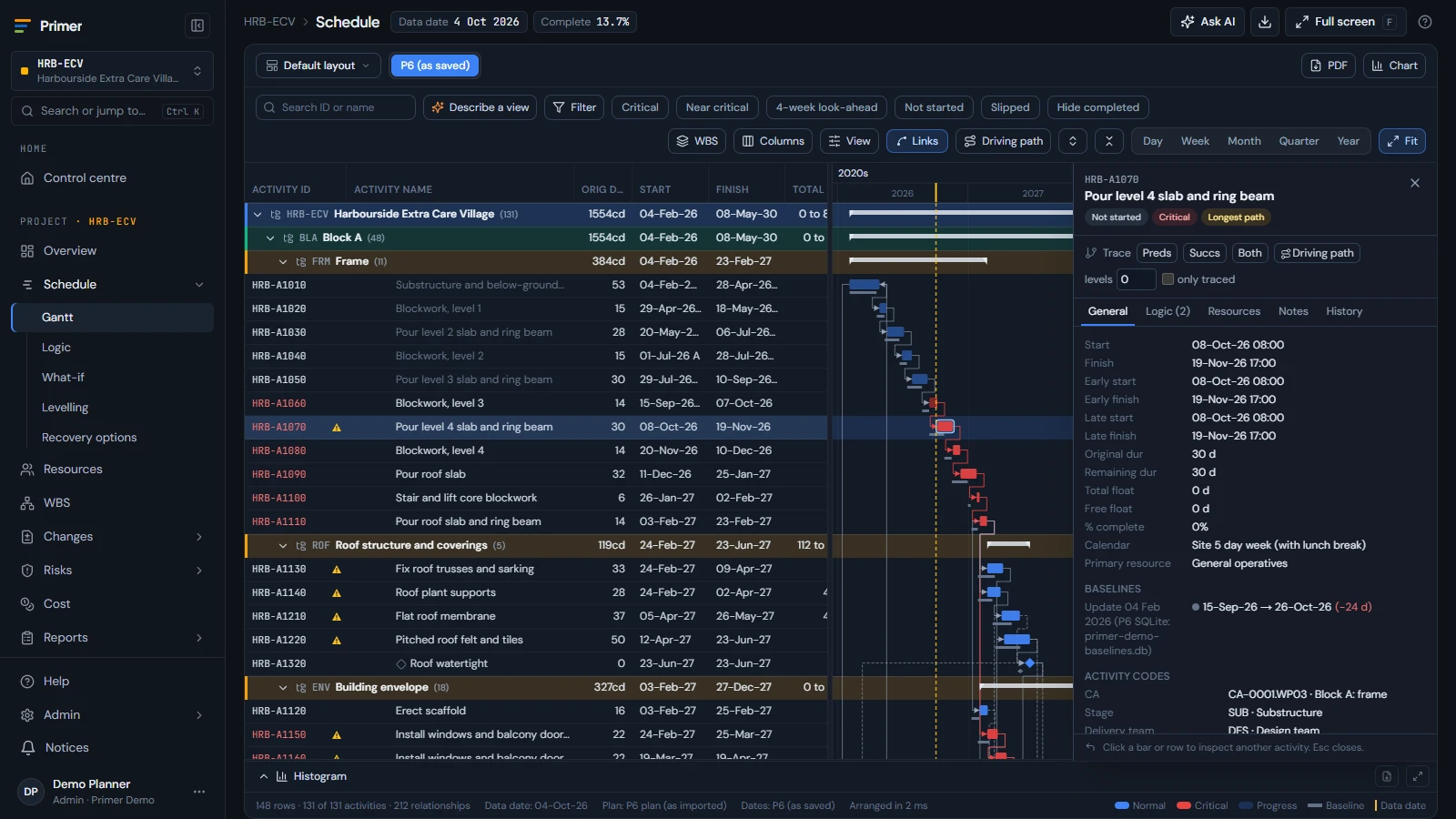
Select an activity and see what hangs off it: the risk, the control account and the change.
Ready when you are
No sign-up. Open a private copy of Primer in your browser. Or take 30 days free for 5 people.